


Smartphones have become an essential part of everyday life. They are no longer just communication devices; they are digital wallets, cameras, personal assistants, entertainment centers, and even portable offices. Most people use their smartphones to access bank accounts, send emails, manage social media, shop online, store personal photographs, and keep sensitive documents. Because smartphones contain so much valuable information, they are attractive targets for hackers and cybercriminals.
A successful attack on a smartphone can result in identity theft, financial loss, stolen passwords, privacy violations, or unauthorized access to personal and business information. Fortunately, most cyberattacks can be prevented by following good security practices and staying informed about the latest threats.
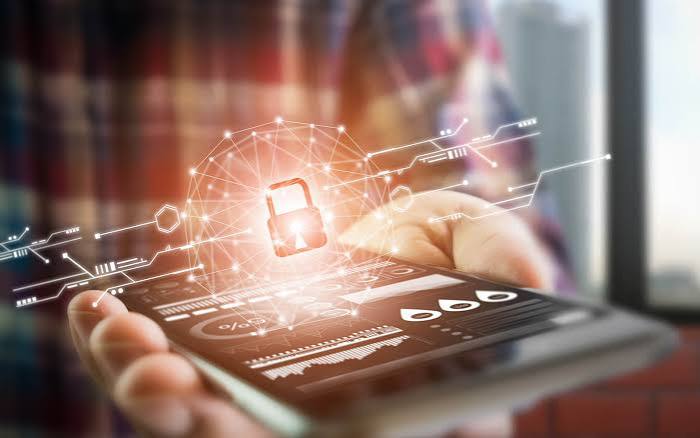
This guide explains practical and effective ways to protect your smartphone from hackers. Whether you use an Android phone or an iPhone, these tips will help you reduce security risks and keep your personal information safe.
1. Keep Your Operating System Updated
One of the easiest and most effective ways to protect your smartphone is by installing software updates as soon as they become available.
Manufacturers regularly release updates that fix security vulnerabilities discovered by researchers. Hackers often exploit these vulnerabilities to gain unauthorized access to devices. If your phone is running outdated software, it becomes much easier for attackers to compromise it.
Enable automatic updates whenever possible. This ensures your device receives the latest security patches without requiring manual action. Also remember to update your apps, since outdated applications can also contain vulnerabilities.
CLICKMON THE LINK
Keeping both your operating system and apps current provides your first line of defense against cyber threats.
2. Use a Strong Screen Lock
Your phone’s screen lock protects your data if the device is lost or stolen.
Avoid using simple PINs such as “1234,” “0000,” or your birth year. Instead, create a longer PIN or a strong alphanumeric password that would be difficult for someone to guess.
Biometric authentication, including fingerprint scanning and facial recognition, provides an additional layer of security while making your phone convenient to unlock.
You should also configure your phone to lock automatically after a short period of inactivity. A device that remains unlocked for several minutes gives unauthorized users an opportunity to access your information.
3. Download Apps Only from Trusted Sources
Many malware infections begin with unsafe apps.
Only download applications from official app stores such as Google Play Store or Apple’s App Store. These platforms review apps for security, although no screening process is perfect.
Avoid downloading apps from unknown websites or third-party stores unless you completely trust the source. Criminals often disguise malware as games, productivity tools, or free versions of paid applications.
Before installing any app, examine:
Developer information
User ratings
Number of downloads
Recent reviews
Requested permissions
If an app requests access to features unrelated to its purpose, think carefully before installing it.
 4. Review App Permissions Carefully
Many applications request access to your camera, microphone, contacts, messages, photos, location, or storage.
Grant only the permissions necessary for the app to function properly. For example:
A navigation app needs location access.
A flashlight app does not need your contacts.
A calculator does not need your microphone.
Regularly review your phone’s privacy settings and remove permissions from apps that no longer require them.
Limiting permissions reduces the amount of personal information available if an app is compromised.
5. Enable Two-Factor Authentication (2FA)
Passwords alone are no longer enough to secure important accounts.
Two-factor authentication requires a second verification step before someone can log in. Even if a hacker steals your password, they usually cannot access your account without the additional verification code.
Methods include:
Authentication apps
Hardware security keys
SMS verification codes
Push notifications
Authenticator apps are generally more secure than SMS because they are less vulnerable to certain types of attacks.
Enable 2FA for:
Email accounts
Banking apps
Social media
Cloud storage
* Shopping websites
6. Use Strong and Unique Passwords
Many people reuse the same password for multiple accounts. This is dangerous because if one website experiences a data breach, hackers may try the same password elsewhere.
Create passwords that:
Are at least 12 characters long
Include uppercase and lowercase letters
Include numbers
Include special characters
Avoid personal information
A password manager can securely generate and store unique passwords for all your accounts, so you only need to remember one master password.
7. Beware of Phishing Attacks
Phishing remains one of the most common ways hackers steal information.
A phishing attack attempts to trick users into revealing passwords, banking information, or verification codes through fake messages.
Examples include:
Fake bank alerts
Delivery notifications
Lottery winnings
Account verification requests
Security warnings
Always verify suspicious messages before clicking links or downloading attachments. If you receive an unexpected message asking for sensitive information, contact the organization directly using official contact information.
8. Avoid Public Wi-Fi for Sensitive Activities
Public Wi-Fi networks at airports, hotels, restaurants, and shopping malls are convenient but can expose users to cyber risks. Attackers may create fake Wi-Fi hotspots with names similar to legitimate networks. When users connect, hackers may intercept their internet traffic.
If you must use public Wi-Fi: Avoid online banking.
Avoid entering passwords for sensitive accounts.
Use websites with HTTPS encryption.
Consider using a reputable VPN service.
Whenever possible, use your mobile data connection for sensitive activities.
9. Enable Find My Device Features Both Android and iPhone include built-in tools that help locate lost or stolen phones.
These services Track your device’s location
Play a sound
Lock the device remotely
Display a contact message
Erase your data remotely
Enable these features before you need them. If your phone is stolen, acting quickly can prevent unauthorized access to your personal information.
10. Avoid Rooting or Jailbreaking Rooting Android devices and jailbreaking iPhones remove built-in security protections.
Although these modifications offer greater customization, they also increase security risks by: Disabling important security restrictions
Allowing installation of unverified software
Increasing malware exposure
Reducing software protection
Unless absolutely necessary, keep your phone in its original secure configuration. 11. Install Apps You Actually Need
Every installed app represents another potential security risk. Regularly remove apps you no longer use.
Benefits include: Reduced attack surface
Improved performance
Better battery life
Less unnecessary data collection
Review your installed apps every few months and uninstall those you no longer need. 12. Protect Your Personal Information Avoid storing highly sensitive information in unsecured notes or screenshots.
Examples include:
Banking passwords
Credit card details
Government identification numbers
Recovery codes
If you must store sensitive information, use encrypted password management software instead of plain text notes. 13. Secure Your Bluetooth and Wi-Fi
Turn off Bluetooth and Wi-Fi when not in use. Leaving wireless connections enabled continuously can make your device discoverable to nearby attackers.
Also: Remove old Bluetooth pairings.
Avoid accepting unknown pairing requests.
Connect only to trusted wireless networks.
These simple habits reduce unnecessary exposure.
14. Monitor Your Accounts Regularly
Hackers sometimes access accounts without immediately causing obvious damage. Check regularly for: Unknown login notifications
Unrecognized purchases
Password reset emails
Security alerts
New devices connected to your accounts
Early detection allows you to secure compromised accounts before additional damage occurs.
15. Recognize Warning Signs of Malware
Some signs may indicate your smartphone has been infected.
Watch for:
* Rapid battery drain
* Phone overheating
* Frequent crashes
* Unexpected advertisements
* New apps you never installed
* High mobile data usage
* Strange text messages
* Unauthorized purchases
While these symptoms do not always indicate hacking, they should prompt further investigation.
16. Back Up Your Data Regularly
Even the best security practices cannot eliminate every risk.
Regular backups ensure your important information can be recovered if your phone is:
* Lost
* Stolen
* Damaged
* Infected with malware
Back up:
* Photos
* Videos
* Contacts
* Documents
* Messages
* Important files
Automatic cloud backups make this process easy and reliable.
17. Be Careful with QR Codes
QR codes have become common for payments, restaurant menus, promotions, and event registration.
Unfortunately, attackers sometimes replace legitimate QR codes with malicious ones that direct users to fake websites.
Before scanning:
* Check whether the QR code appears tampered with.
* Verify the website before entering information.
* Avoid downloading unknown files.
Always examine the website address after scanning.
18. Use Security Software if Appropriate
Many reputable security applications offer additional protection.
Features may include:
* Malware scanning
* Anti-phishing protection
* Safe browsing
* Privacy monitoring
* Device location services
Although modern smartphones already include strong security features, additional security software may benefit users who frequently download apps or browse unfamiliar websites.
19. Learn About New Cyber Threats
Cybersecurity changes constantly.
Hackers continuously develop new techniques, including:
* Fake customer support scams
* AI-generated phishing messages
* Fake investment apps
* Cryptocurrency scams
* Social engineering attacks
Staying informed helps you recognize suspicious situations before becoming a victim.
Following trusted cybersecurity news sources and official security advisories can improve your awareness.
20. Know What to Do if Your Phone Is Hacked
If you believe your smartphone has been compromised, act immediately.
Recommended steps include:
1. Disconnect from Wi-Fi if necessary.
2. Remove suspicious applications.
3. Change passwords using another trusted device.
4. Enable two-factor authentication if not already enabled.
5. Run a security scan if available.
6. Install all software updates.
7. Contact your bank if financial information may have been exposed.
8. Monitor accounts for suspicious activity.
9. Restore your phone from a trusted backup if needed.
10. Perform a factory reset as a last resort after backing up essential data.
Quick action can significantly reduce potential damage.
Additional Best Practices
Developing safe digital habits is just as important as using security features. Always lock your phone when not in use, avoid sharing verification codes with anyone, and be cautious when lending your device to others. Keep your emergency contact information updated and ensure your recovery email addresses and phone numbers are current. If your smartphone contains work-related information, follow your employer’s security policies, including the use of approved mobile security tools.
Parents should also educate children about smartphone safety. Young users may be more likely to click suspicious links, install unsafe apps, or share personal information online. Setting parental controls and discussing online safety can help reduce these risks.
Conclusion
Smartphone security is not achieved through a single app or setting—it is the result of consistent, responsible habits. Because smartphones contain valuable personal, financial, and professional information, they have become prime targets for hackers. However, most attacks can be prevented by following straightforward security practices.
Keeping your operating system updated, using strong passwords and biometric authentication, enabling two-factor authentication, downloading apps only from trusted sources, reviewing app permissions, avoiding suspicious links, and staying cautious on public Wi-Fi all contribute to a much stronger security posture. Regular backups, account monitoring, and awareness of emerging cyber threats further reduce the risk of data loss and unauthorized access.
No device is completely immune to cyberattacks, but taking proactive steps greatly improves your protection. By remaining vigilant, keeping your software current, and practicing good digital hygiene, you can confidently use your smartphone for communication, banking, shopping, work, and entertainment while minimizing the chances of becoming a victim of hackers. Investing a little time in smartphone security today can save you from significant financial loss, identity theft, and privacy issues in the future.

